Check out Intune Multi Admin Approval
Require a second admin to approve protected Intune changes before they are applied.
Did you know Intune has a feature that can help prevent ransomware or other business impacts due to applications or scripts deployed from Intune?
Multi Admin Approval was added a couple of years before my original post, but I still rarely saw it in use.
You should check it out :)
An access policy protects the selected resource type and specifies who can approve changes. A different admin has to approve the request; you can’t approve your own.
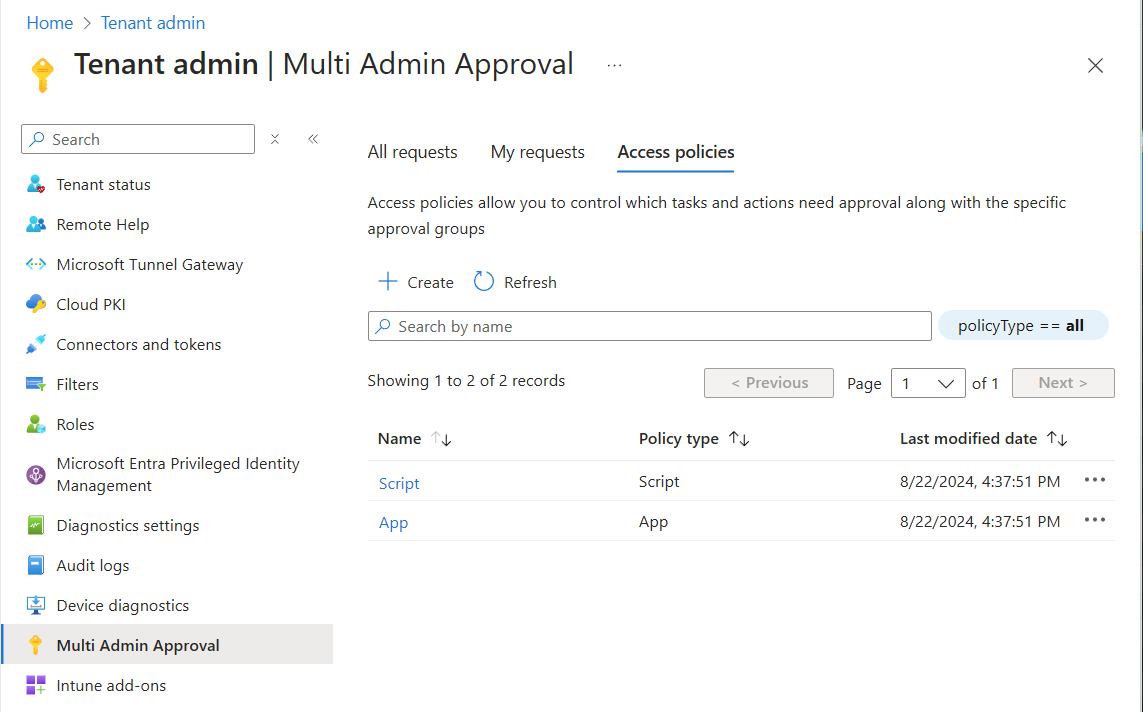
Check for script and app policies with Graph PowerShell:
1$response = Invoke-MgGraphRequest -Uri "/beta/deviceManagement/operationApprovalPolicies" -OutputType PSObject
2$test = $response.value.policyType
3
4if ("script" -notin $test) { Write-Output "No script policies in this response" }
5if ("app" -notin $test) { Write-Output "No app policies in this response" }
This checks one response page. Follow any @odata.nextLink before concluding a policy type is missing. It isn’t a complete coverage audit. The beta API requires an active Intune tenant license and, at minimum, DeviceManagementRBAC.Read.All permission.

After approval, the requester needs to select Complete to initiate the change. Intune doesn’t send notifications for new requests or status changes, so make sure someone is watching the queue.
Intune Multi Admin Approval documentation
Original posts: 23 August 2024 and PowerShell check. Documentation checked 14 October 2026.