Keep Defender AV notifications visible
Keep useful Defender Antivirus notifications without all the noncritical noise.
If you manage Defender AV, please do not disable user UI access on your normal user endpoints. Hiding the Defender Antivirus interface also hides its notifications when Defender finds something malicious.
We want users to know when events occur so they have context when we investigate and so they can learn from mistakes.
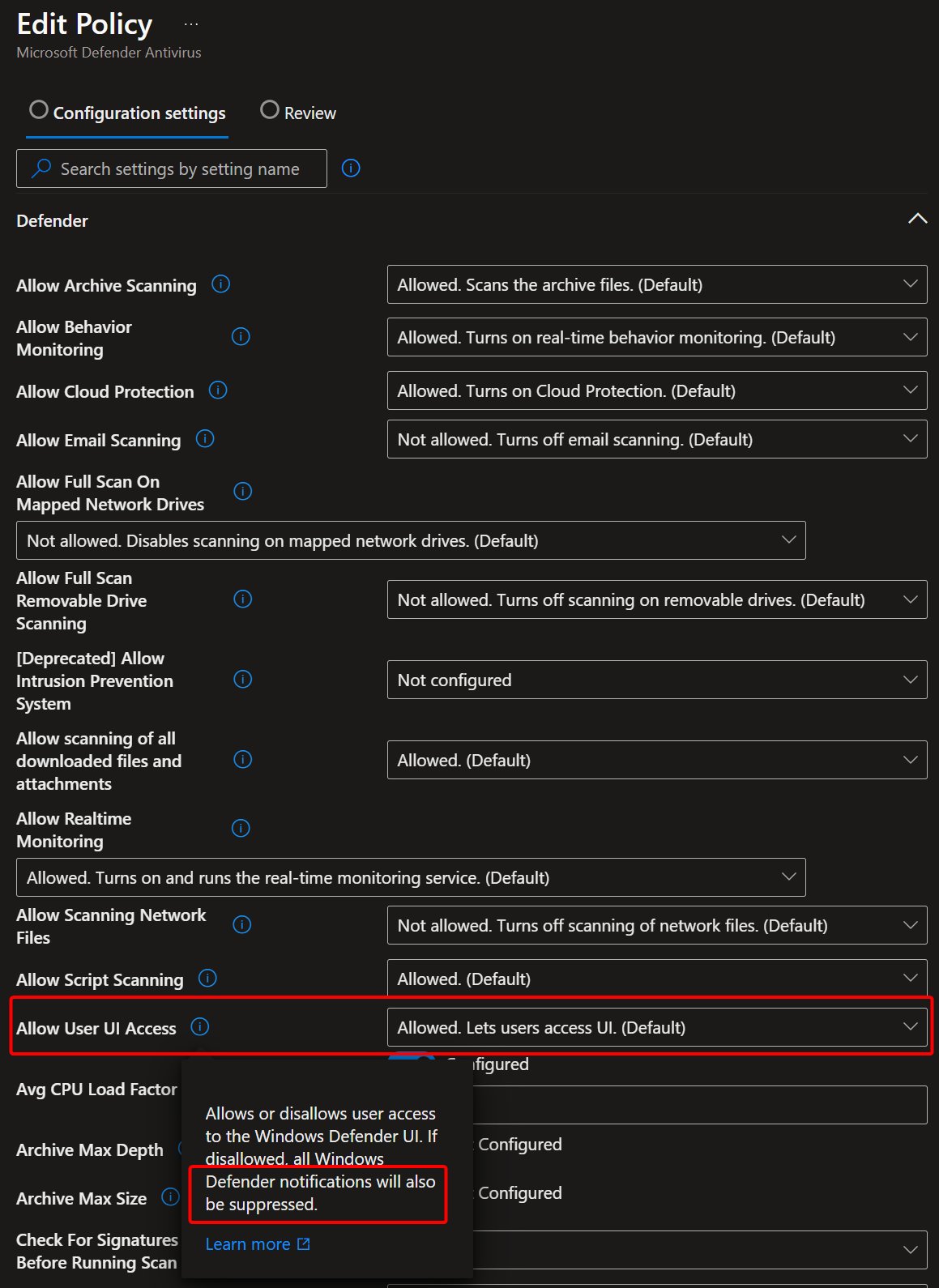
This is specifically about Defender Antivirus notifications. Microsoft Defender for Endpoint notifications can still appear when the AV interface is hidden.
If you want to hide some parts of Windows Security, configure policies for those individual areas instead of hiding the whole AV interface.
To hide scan-complete notifications and other noncritical notifications, enable Hide non-critical notifications, or set DisableEnhancedNotifications to 1. That keeps critical Windows Security notifications visible. Check that Suppress all notifications isn’t enabled, because it overrides this choice.
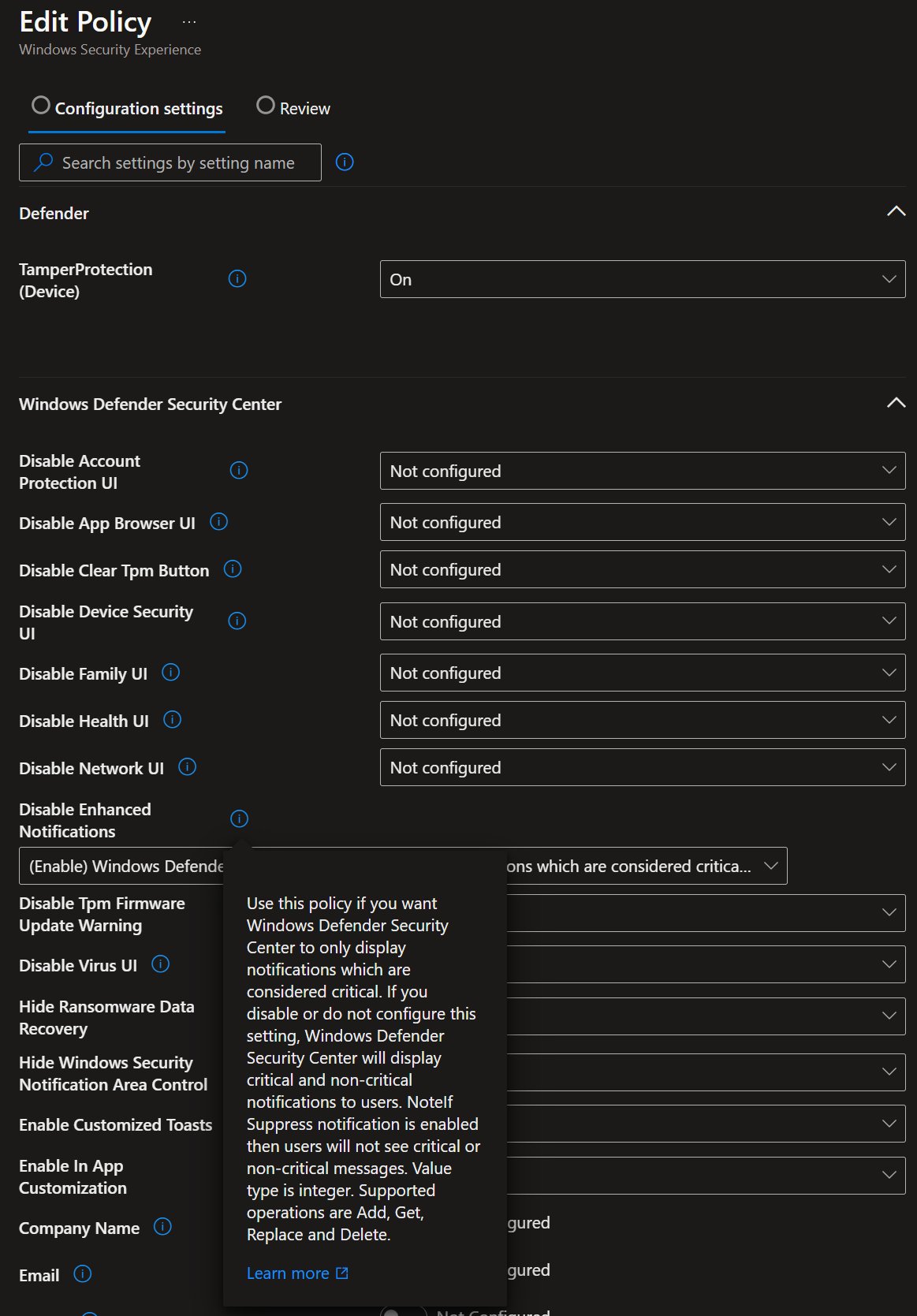
Defender Antivirus UI and notifications | Windows Security notification policy
Original posts: 2 March 2025 and notification settings. Documentation checked 14 October 2026.