Limit Azure Arc management capabilities
Use monitor mode and local extension controls to limit what Azure Arc can do on your servers.
A very common mistake I see for those newer to Azure and Arc is not understanding the risk associated with permissions in Azure and privilege escalation paths to Arc-enabled servers.
It’s a good idea to consider locking down Arc to only what you need ;)
For monitoring and security workloads, monitor mode is a useful starting point. Run locally with administrator/root permissions, after checking your dependencies:
1azcmagent config set config.mode monitor
2azcmagent config list
This restricts extensions to Microsoft’s monitoring/security allowlist and disables Guest Configuration. The second command shows the current configuration. You can’t customize the extension allowlist or blocklist while in monitor mode; use full mode with a carefully chosen local allowlist if you need a different set.
Azure Policy can also restrict extensions, but someone who can change the policy assignment can remove that protection. Local agent controls are configured on the server.
Review what’s already installed: changing an allowlist doesn’t uninstall existing extensions. Local administrators, allowed privileged extensions, or Guest Configuration can potentially change local controls too, so review those paths before treating the machine as locked down.
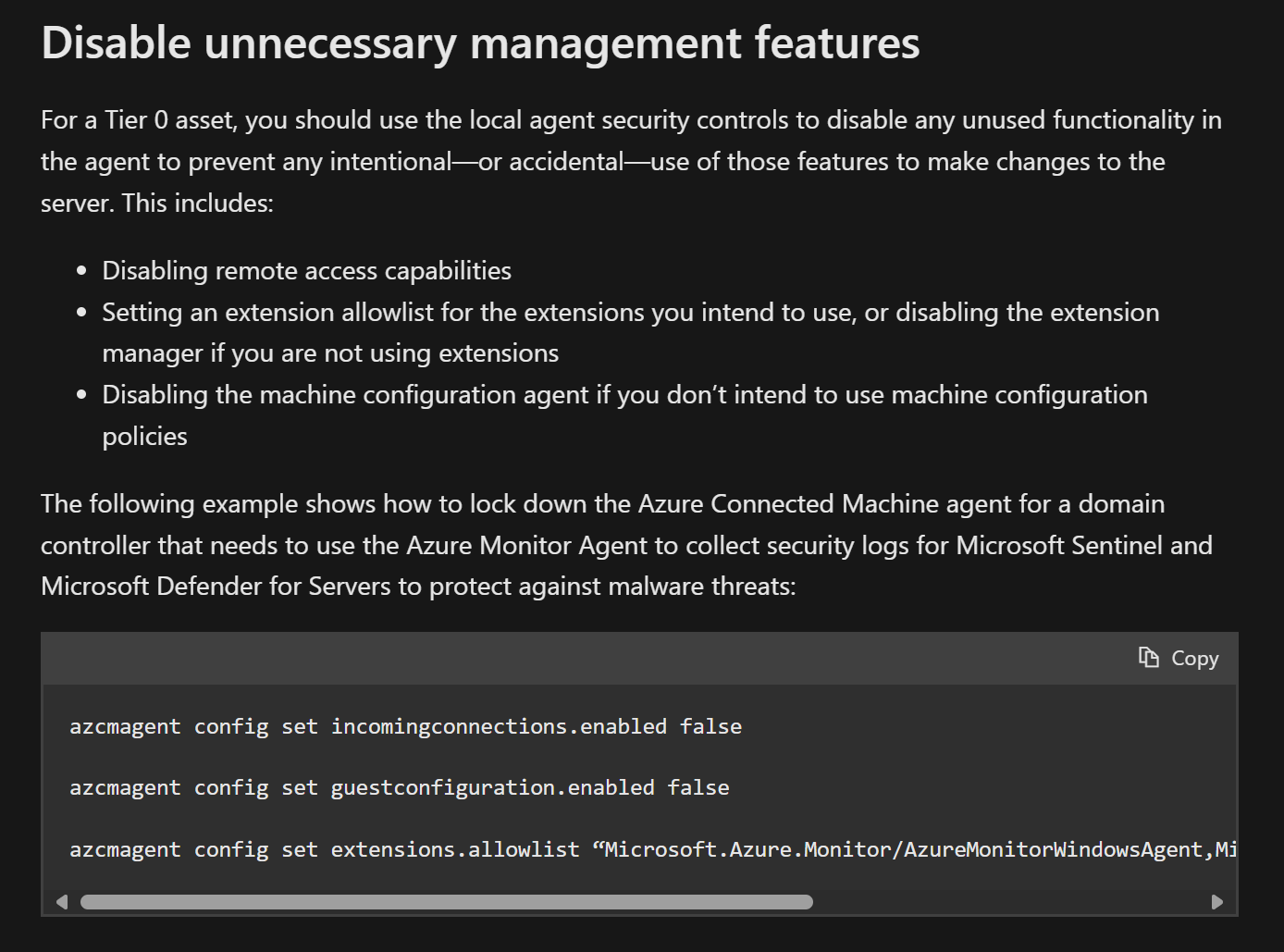
For domain controllers and other Tier 0 systems, also review subscription/management-group administrators and disable unused remote access. Microsoft’s Tier 0 guidance has a more specific example:
Original posts: 22 February 2025, 27 March 2024, and 26 December 2023. Documentation checked 14 October 2026.