Enable Defender for Servers Plan 1 on selected machines
Use resource-level Defender for Servers Plan 1 and built-in Azure Policy for selected machines.
We should generally manage Defender for Servers at the subscription level and through IaC, but also, labs and non-IaC people exist :p
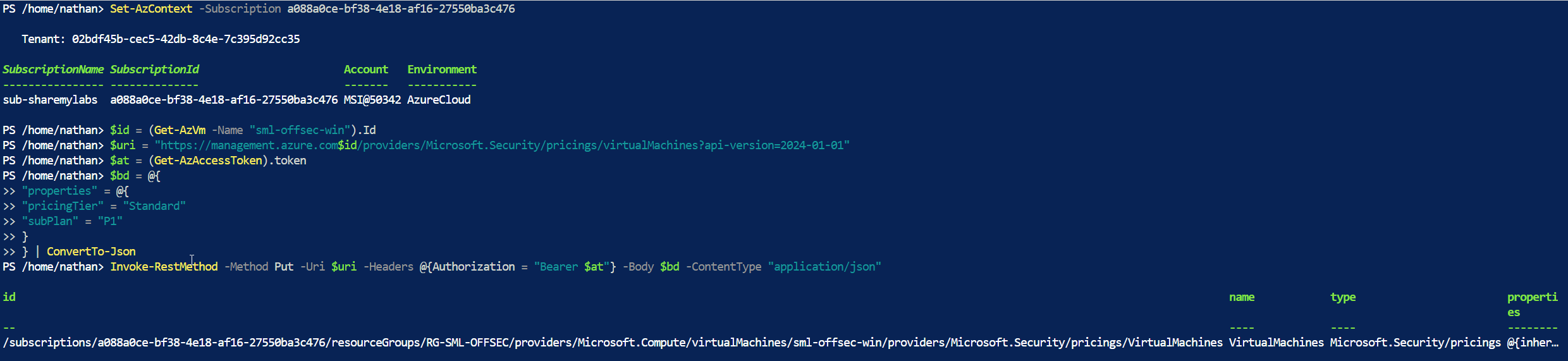
You can enable Defender for Servers Plan 1 on individual resources, including Azure VMs and Arc-enabled servers. Where the subscription permits resource-level overrides, you can also use P1 when the subscription has P2, but those machines lose P2-only features. Subscription-level enforce settings can block overrides. Check the deployment scope guidance before changing coverage: P2 can’t be enabled at the resource level.
For a group of machines, we now have built-in policies for P1 at resource scope, including a tag-based version. There’s no need to recreate my old custom subscription policy for this.
In Azure Policy → Definitions, look under Security Center – Granular Pricing for the P1 policy with the selected tag. Assign it at the intended scope, set Inclusion Tag Name and Inclusion Tag Values, and create a remediation task for existing resources. The tag name and values are yours to choose.
Microsoft’s current walkthrough covers the assignment and the REST option for one machine. Enabling the plan affects billing and protection coverage, so verify the targeted machines and effective plan afterward.
Original posts: 6 June 2024 and follow-up. Documentation checked 14 October 2026.