Enable Azure cost anomaly alerts
Set up free cost anomaly alerts to help catch unexpected Azure spending.
If you use Azure public-cloud subscriptions, please set up cost anomaly alerts. They are free, but you have to create an alert to receive the email when something unusual happens.
Mistakes around scaling, automated deployments going wrong, or an attacker spinning up resources can get expensive quickly. This is one of the first things I check when setting up a subscription.
In the Azure portal, open Cost Management, select the subscription scope, then go to Cost alerts > Add. Choose Anomaly as the alert type, add the required details and recipients, and create the rule.
Creating the rule requires Cost Management Contributor or equivalent permissions. Azure checks the rule creator’s access before sending each email, so make sure they retain Reader or the corresponding scheduled-action read permission.
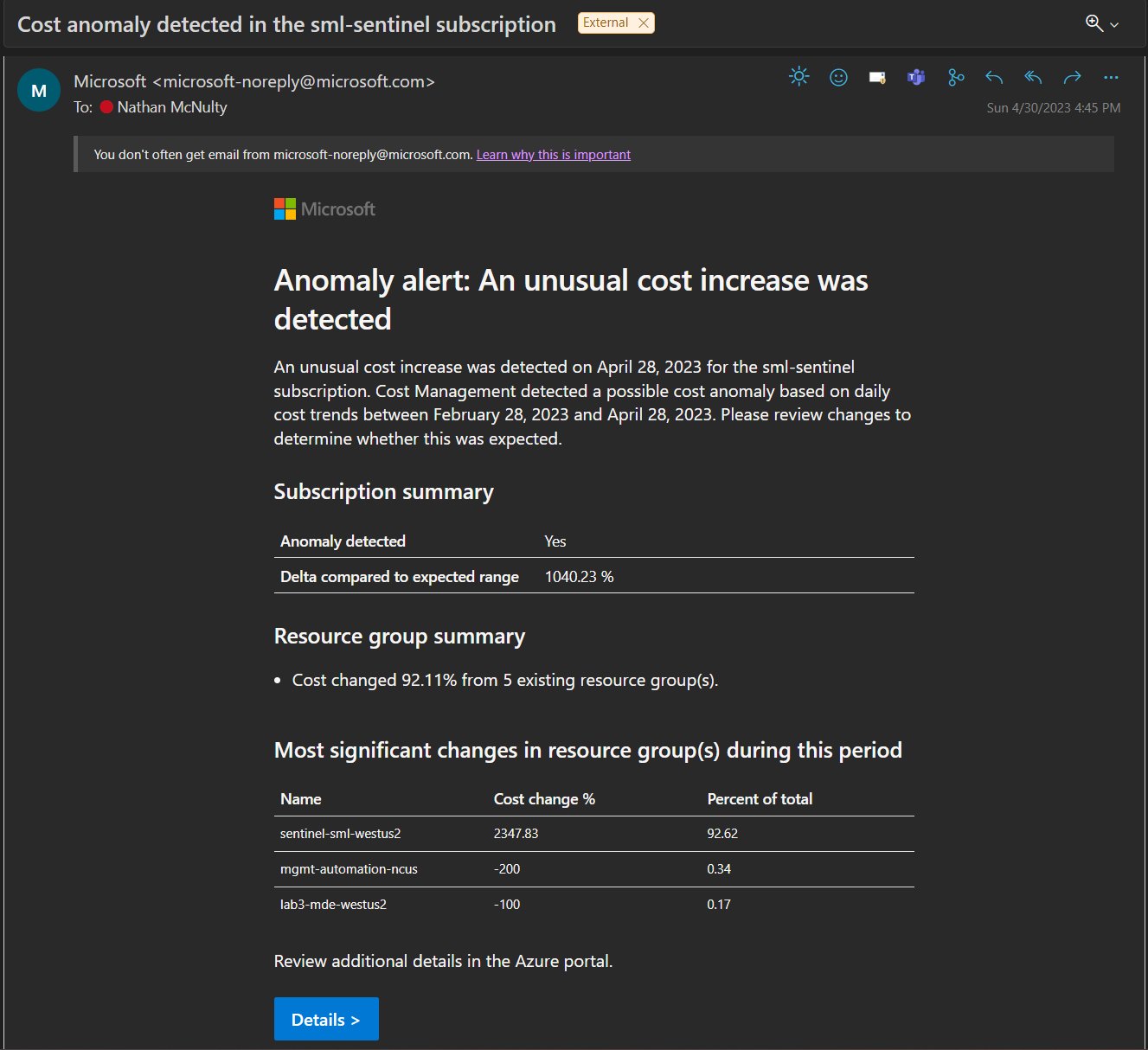
Keep in mind that this isn’t real-time detection. Microsoft evaluates each day’s usage 36 hours after the end of that UTC day. Set up budgets and budget alerts too, but don’t treat those alerts as a spending cap: they don’t stop resources or consumption.
This is one of the quick wins in Azure - Securing Subscriptions.
Create an anomaly alert | Create and manage budgets
Original post: 25 May 2023. Documentation checked 14 October 2026.